Updating Date/Time or Location of Calendar Events.
This tutorial explains how to change Date, Time or Location of Calendar Events that are manually created or copied from another course.
Please note:
- Teaching Rooms are booked in TimeEdit and pushed as Course Calendar Events in DTU Learn > Editing room bookings should be done through TimeEdit.
- Course Activities are automatically added to the calendar when you set a due date.
Follow these steps to offset date and time for several Course Calendar Events:
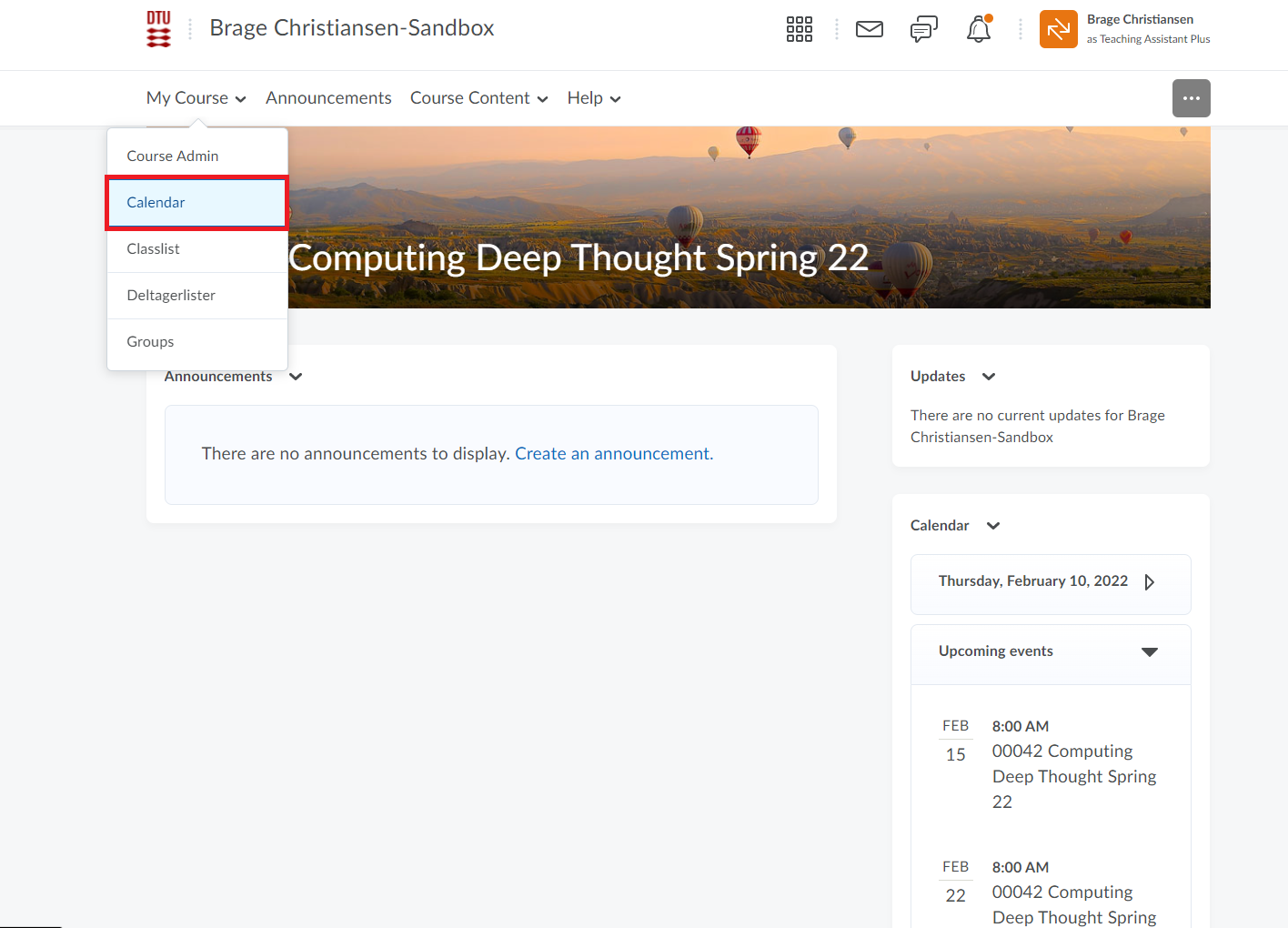
- From the course homepage on DTU Learn go to "My Course" and then click "Calendar".
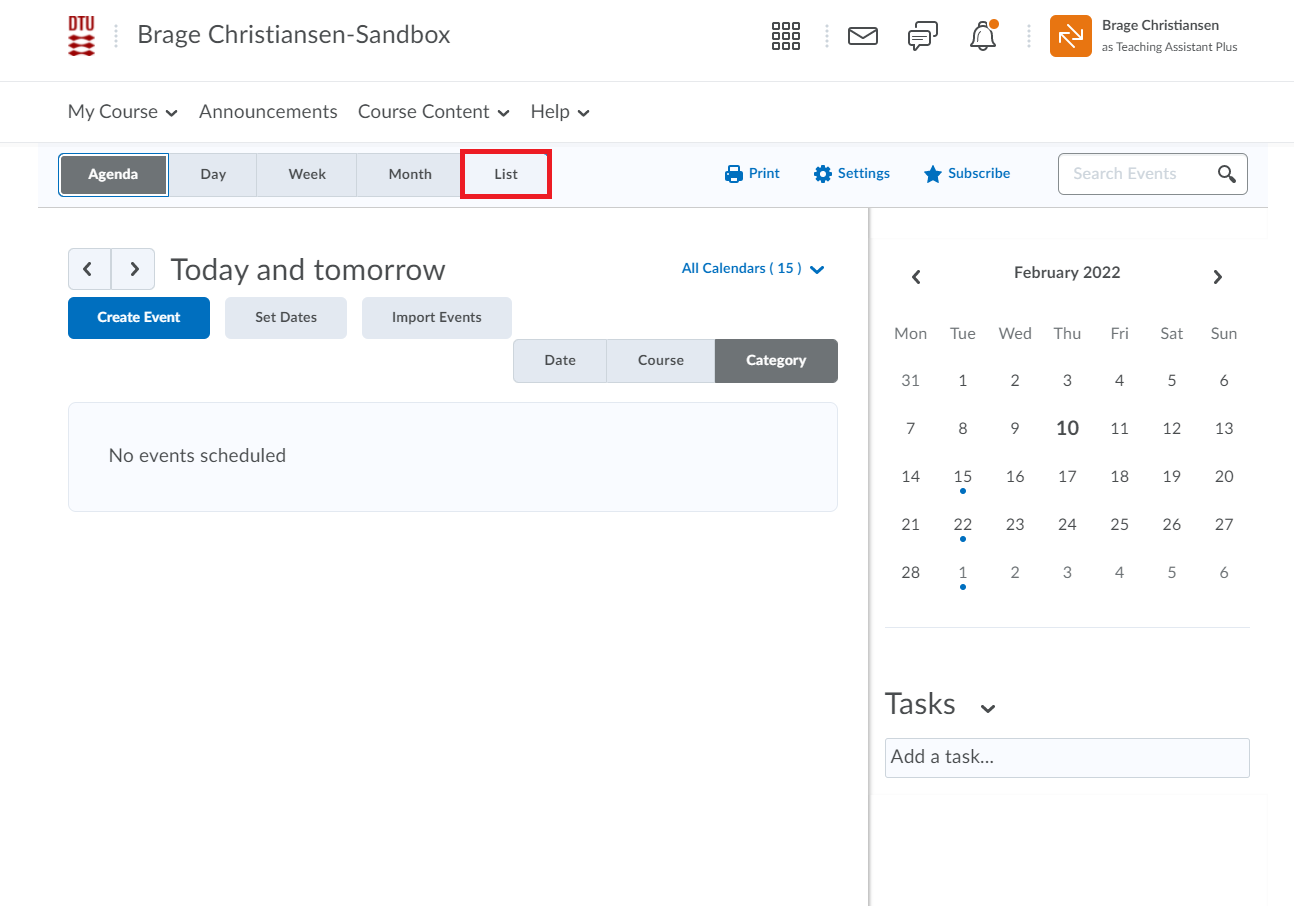
- Click the "List" button in the menu tab and click on "Events" for a view of all events.
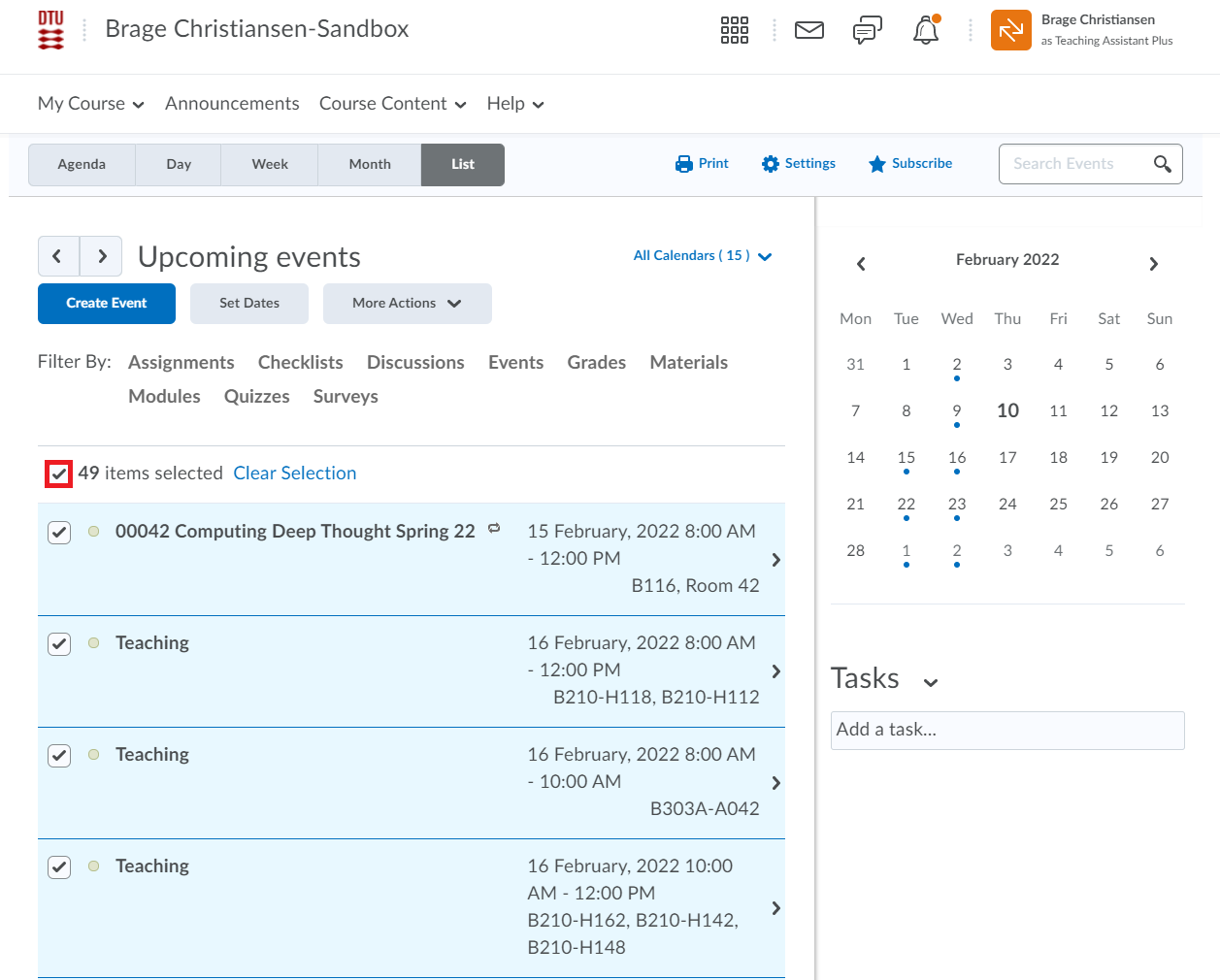
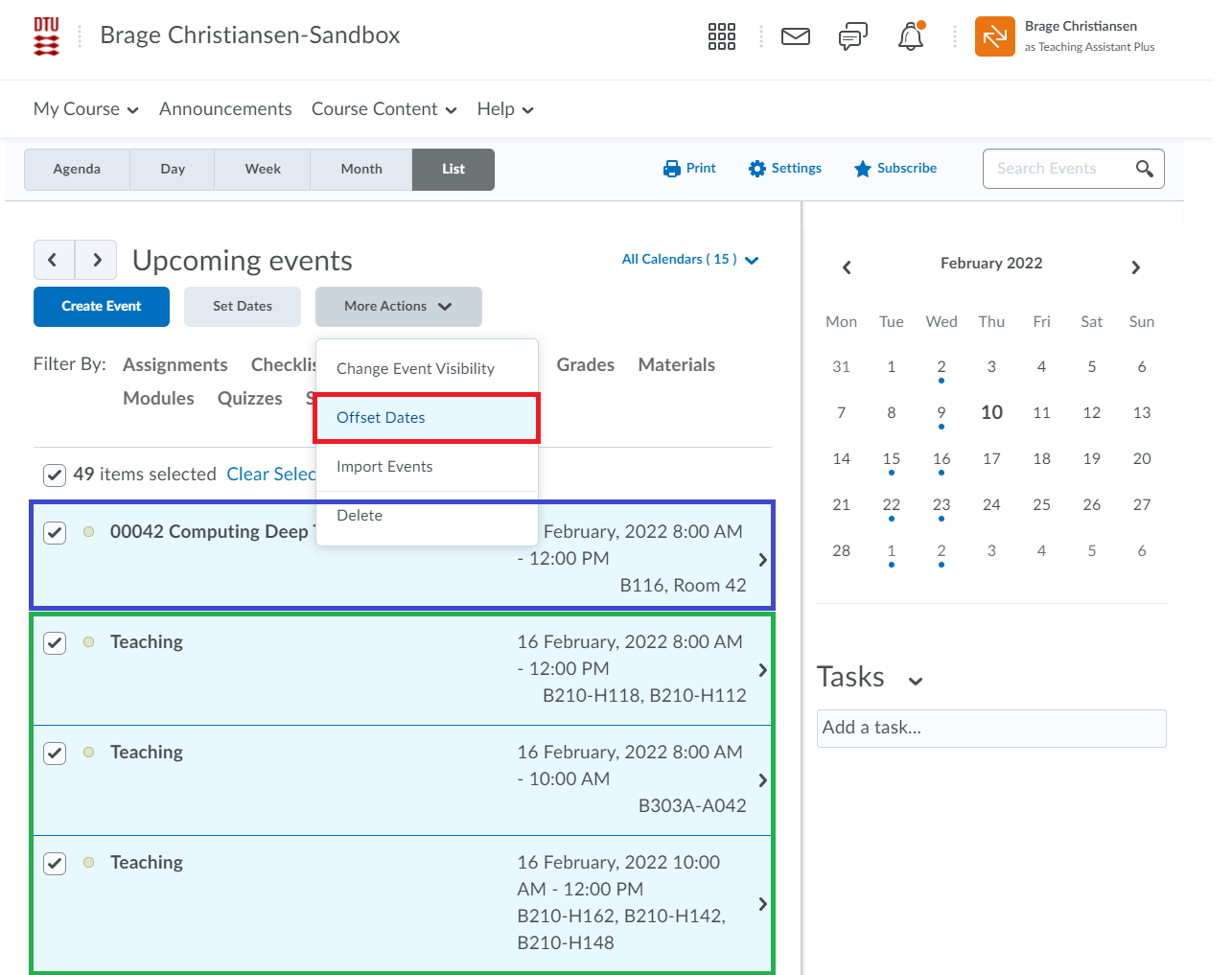
- Say that, the time slot or date slot is wrong for all the events e.g. the course is held at 08:00 and not at 13:00. Select all events.
- Go to "More Actions" and select "Offset Dates". In this case, the events in "green" are single occuring events, where the one in "blue" is a recurring event.
A recurring event can only be made directly in Learn and is not an imported event and it can not be edited from "Offset Dates". Scroll down to 'Follow these steps to edit location/date/time' for edit details on recurring events.
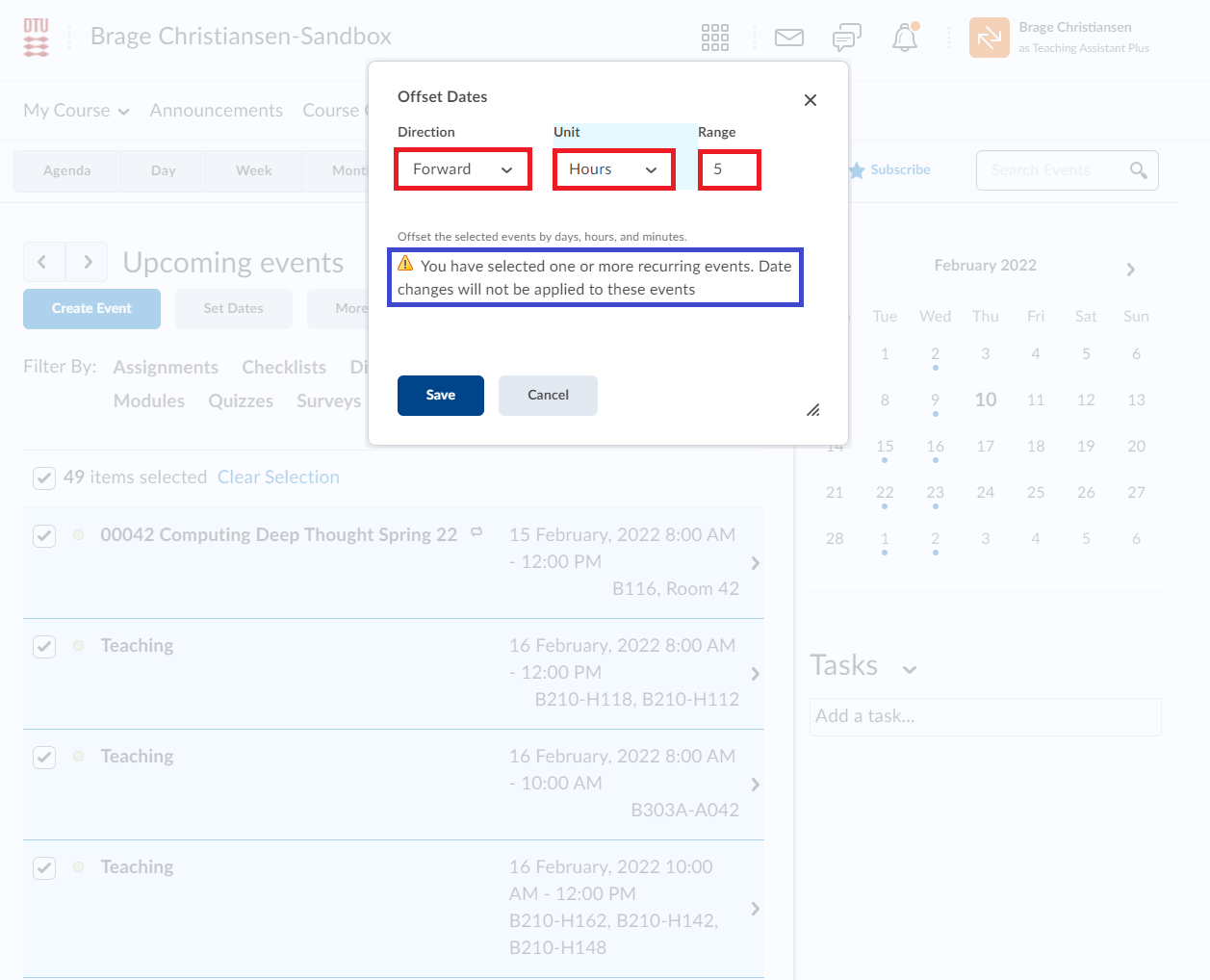
- After clicking "Offset Dates", you can change the date and time slot by using the three drop-down menus.
Notice the text in the 'blue' box referring to the recurring events.
Follow these steps to edit location/date/time of individual Calendar Events:
- To edit location (and/or date and time) for a single or recurring event, click the event.
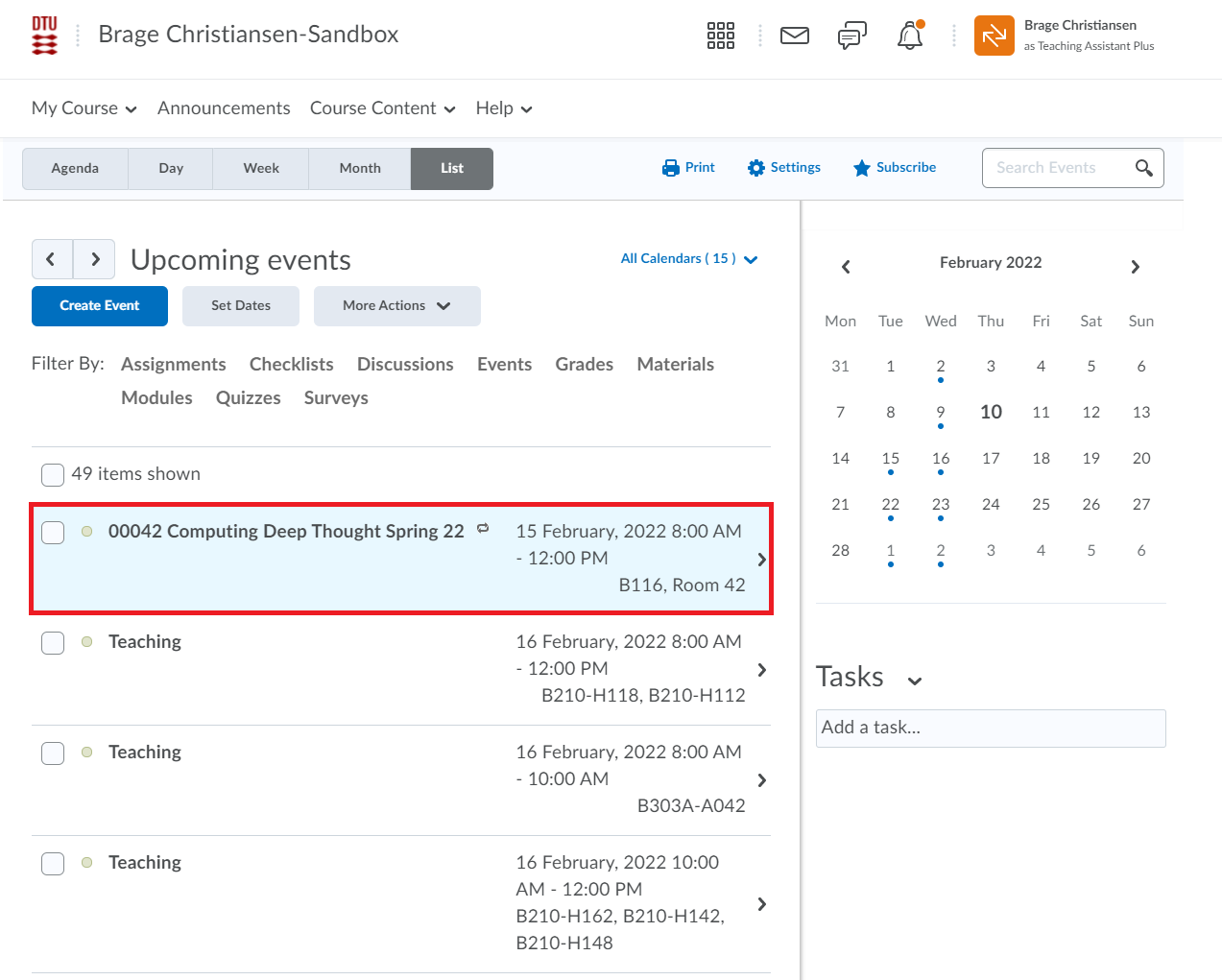
- Click the little drop-down arrow and select "Edit Event". The little icon in the 'blue' box indicates that the event is recurring.
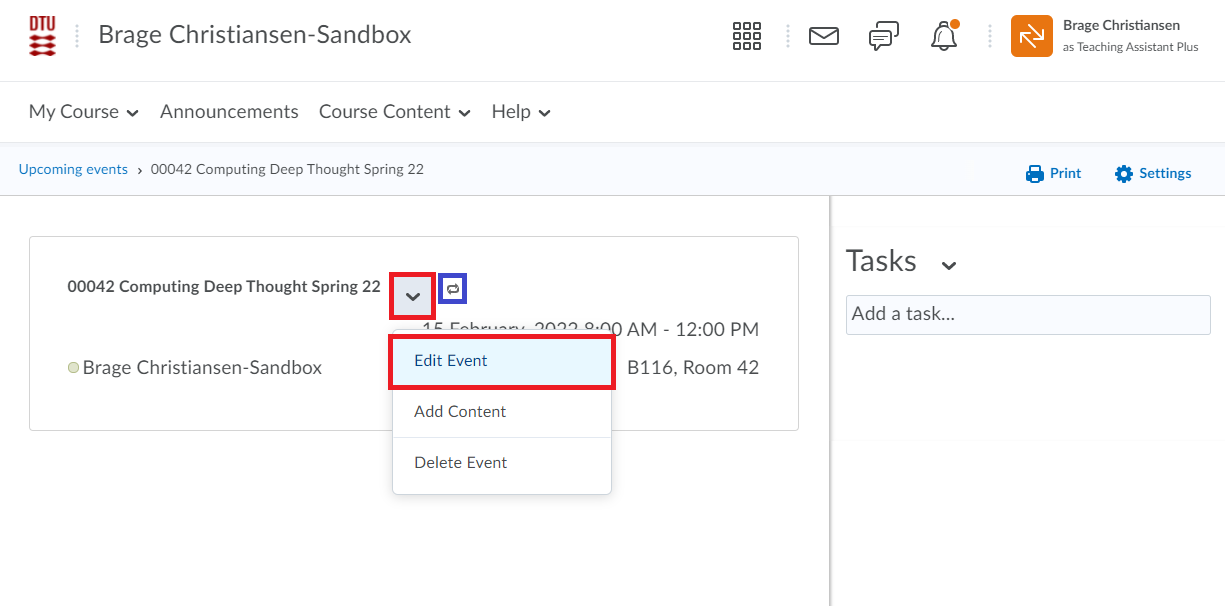
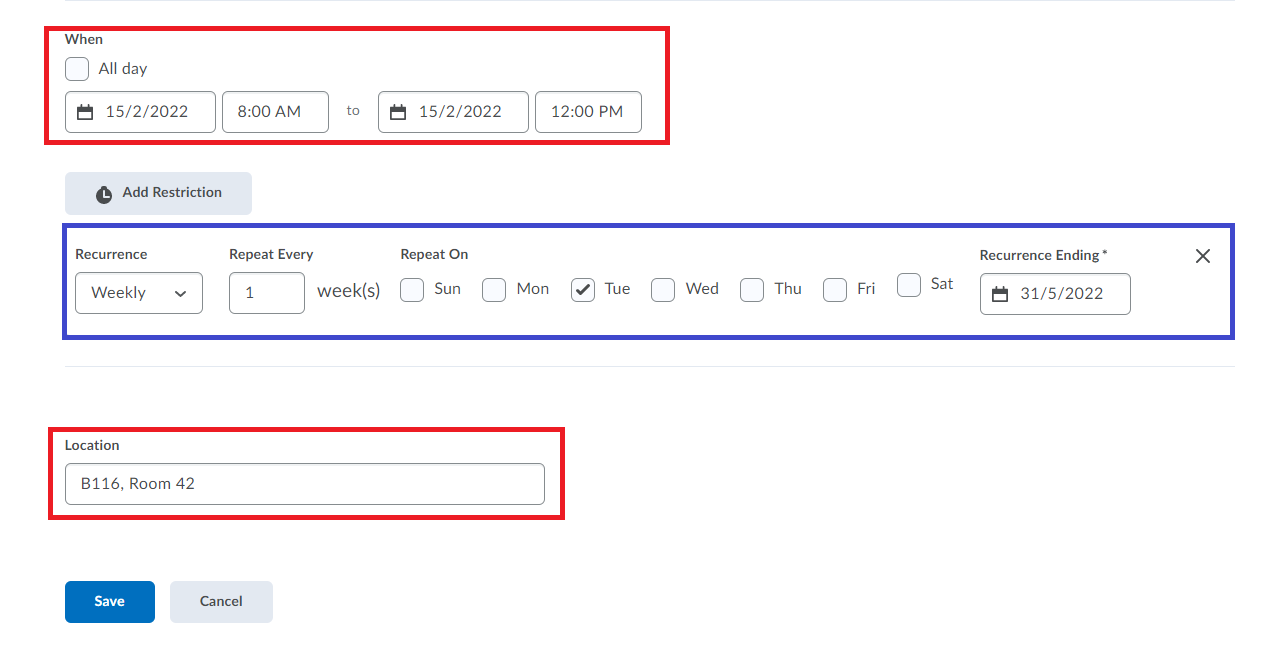
- Event name, description and content can be added or changed. However, scroll to the bottom and you find the heading "When", where the date and time slot can be changed.
Below that you find the "Location" which can be changed. If the event is a recurring one, the 'blue' box indicates the options for changing the recurrence.
Always Remember to save.